In the hall: AI simultaneous interpretation on receivers
In the hall, PONTAVOX works like an interpreting system. The speech arrives from the mixing desk without room echo, and each language leaves through its own output for its own radio transmitter. The Eventforum Bern provides hall, equipment and technician; the samples show how it sounds.
One channel per language
Choose from 38 target languages, up to four at once; three ran together at a client event. Measured in live use: German, English, French, Italian and Spanish.
No app, no Wi-Fi
Guests select their language’s channel on the receiver. No phone, no account and no interpreting booth are needed.
The room stays audible
When someone on stage speaks a channel’s language, that channel goes quiet and guests hear the room.
One fixed voice per language
The same voice, female or male, from the first sentence to the last, and for everyone on a panel. It is not a copy of a real person’s voice.
A muted start
Whatever PONTAVOX sets by itself starts at half volume at most. By hand, it only goes up to a fixed limit.
Preparation: glossary, documents and trial
It starts with a booking enquiry at the Eventforum Bern: choose the interpreting equipment, switch on the PONTAVOX option, and the quote follows within 12 hours. The glossary guide explains what a good glossary contains.
A glossary for each event
Names, organisations, abbreviations and technical terms, one column per target language, imported from Excel, Word or CSV. At the dress rehearsal on 23 October 2026, 9 of 10 technical terms and 3 of 3 names were right.
Documents kept as data
Programme, speaker list and slide text, up to about 36,000 characters. They are fenced off as data, so no instructions in them take effect.
Check and preview
Before the start, the Studio asks whether everything is right. The technician can briefly listen to each language as a test.
Free sound check
A test tone on each channel checks the sound and the channel assignment. No speech service runs yet, so it costs nothing.
Presets for your format
The Studio has presets for a conference, a general meeting and a panel.
Trial in the hall
By arrangement we test with a page from your programme, and always for languages not yet measured in live use.
During the event: the Studio at the desk
A technician from the Eventforum runs PONTAVOX in the Studio for the whole event and sees every language separately.
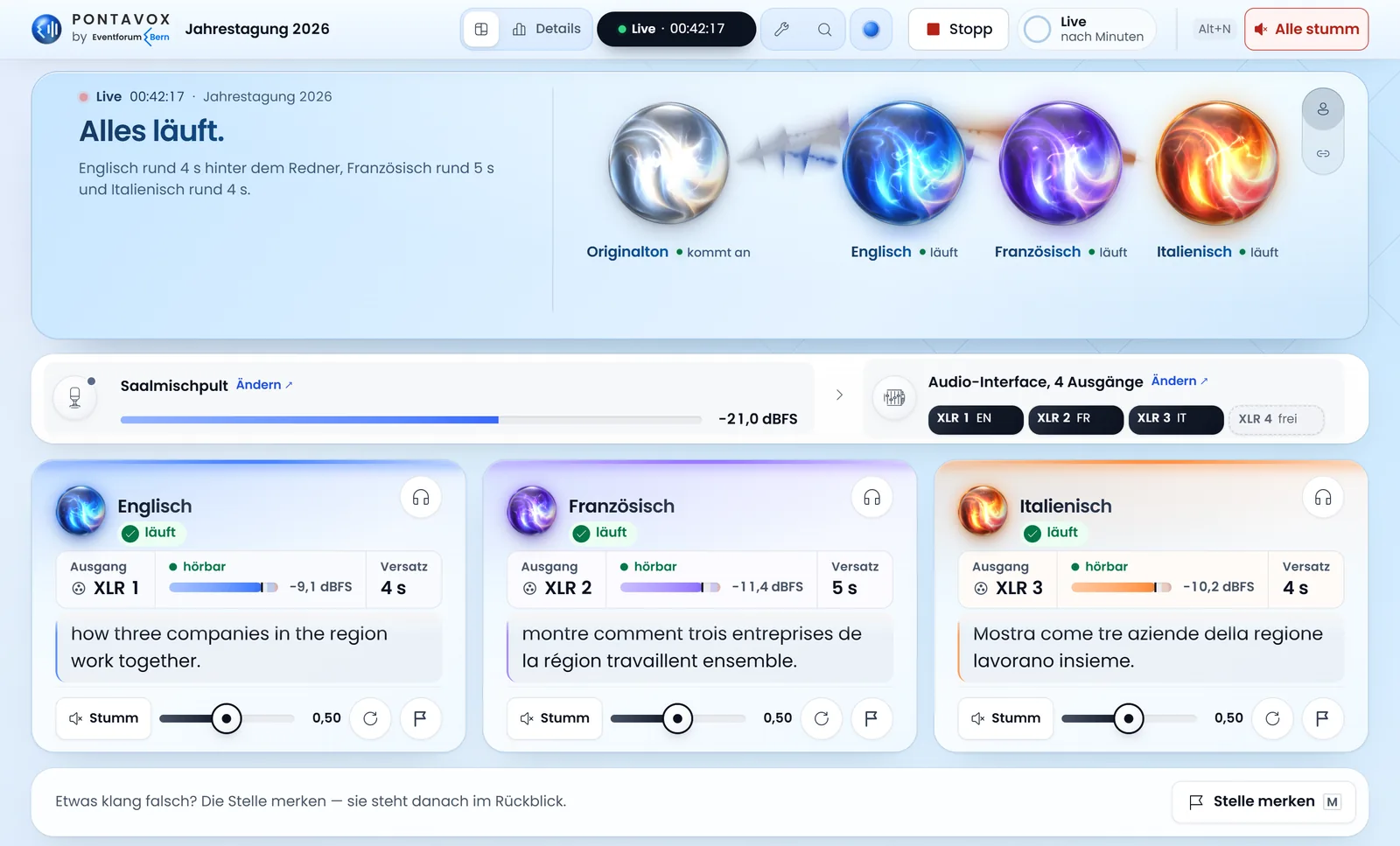
Each language as a channel strip
Like a channel on a mixing desk, each strip shows output, level, transcript and distance to the speech. The technician sees at once which language is struggling.
The next speaker’s name
During the event, PONTAVOX is told the name of the next speaker.
Mark a moment
If something sounds wrong, the Studio notes the time and language, so the moment can be found again later.
Volume autopilot
The autopilot suggests levels or adjusts them slowly, by 1 dB per minute at most, and reverses any step that makes things worse.
Failover watch and operational safety
PONTAVOX watches every language separately and acts in stages; the technician is alerted at the first failed attempt. How PONTAVOX has grown since August 2026 is set out under Development.
A watch in three stages
After 6 seconds without data, PONTAVOX rebuilds the language at once; after 12 seconds of silence while others speak, it rebuilds it and catches up on the missed audio. The dead man’s switch at 20 seconds gave 0 false alarms in 6 channel hours of real events.
A second path
If rebuilding fails twice, a second path without the glossary takes over and hands back after three minutes, at the end of a sentence.
Handover after 55 minutes
PONTAVOX renews its connection as a precaution, without losing text.
Restart in 1.3 seconds
By hand, a language restarts in about 1.3 seconds. After a crash, a watchdog restarts the Studio, never the interpretation.
Operated only on site
PONTAVOX can only be operated from the Eventforum’s network. Only the client link and the guests’ read-along are publicly reachable.
More than 200 test programs
Every version must pass the same tests. It is only rolled out when no event is running, with a way back to the previous version.
For organisers: client link, replay and report
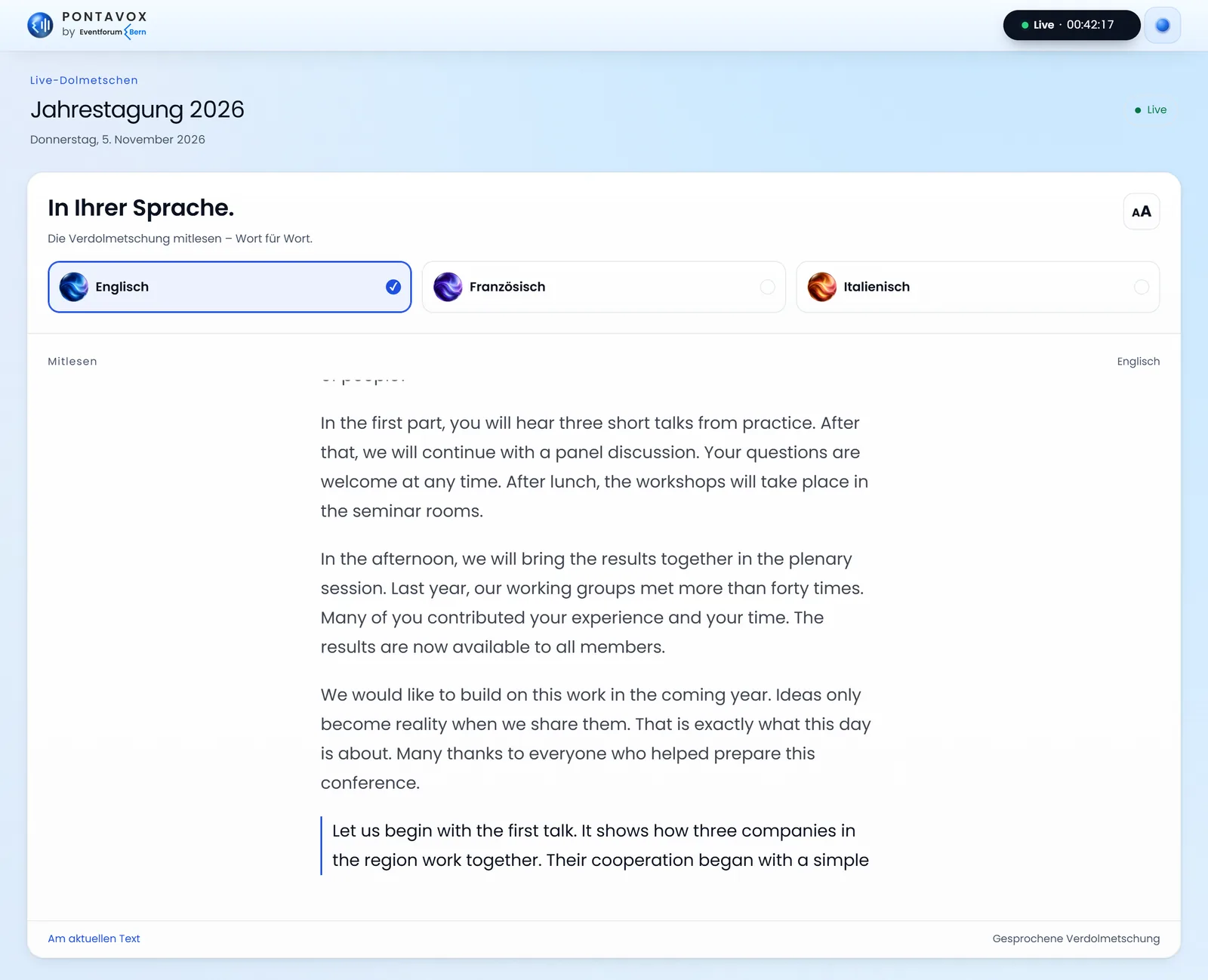
You follow every language on your own device. Transcript and audio are available afterwards only with your approval and only from real events, never from trials.
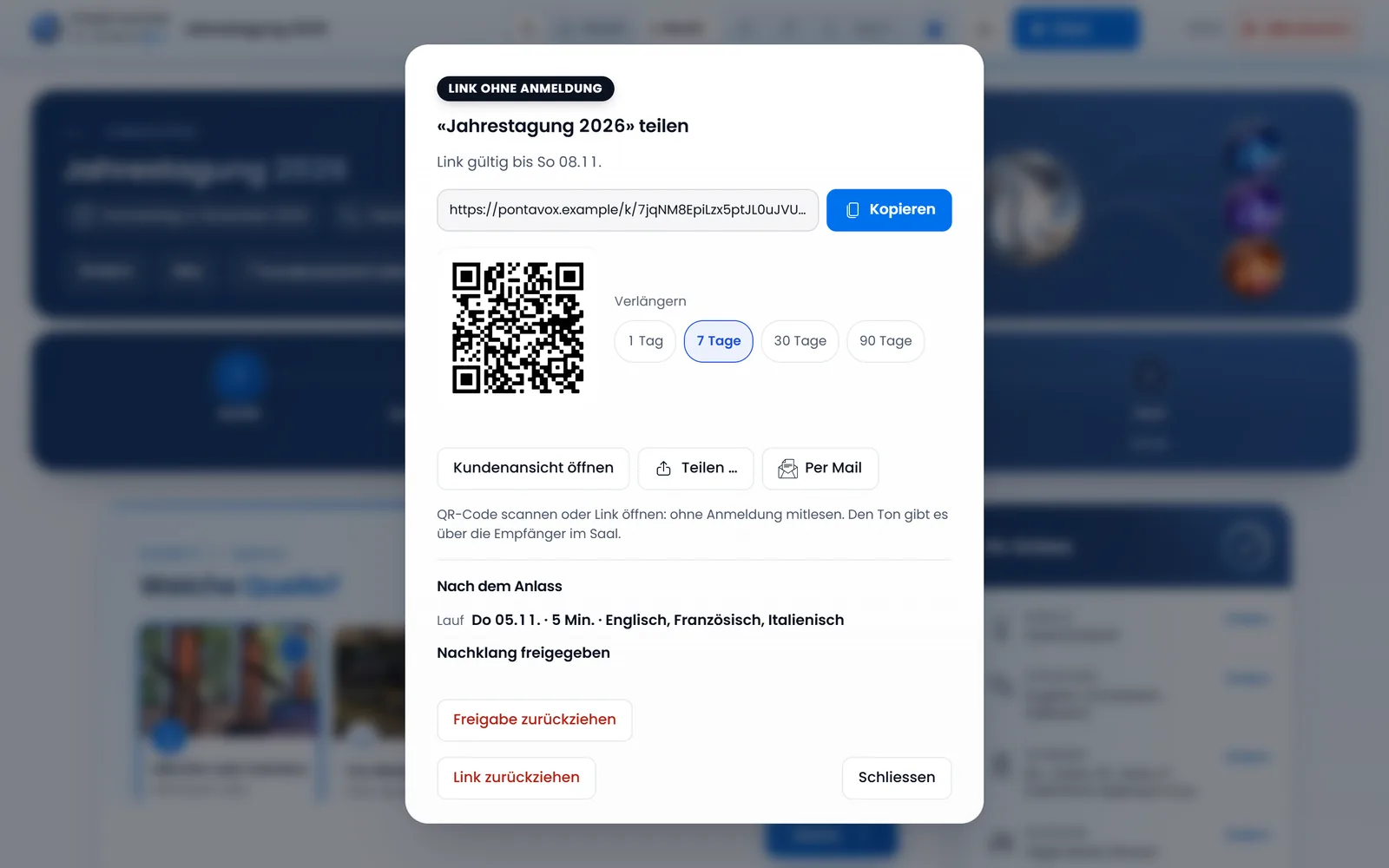
A client link for each event
It covers only your event, needs no sign-in and is read-only. Share it by link, QR code or email, even while the event is running.
Time limit and withdrawal
Link, transcript and replay stay valid for 1, 7, 30 or 90 days, can be extended and can be withdrawn at any time. Withdrawal and expiry delete the data on the server.
A random 192-bit key
The server only stores a fingerprint of the key in the link.
Client view in four languages
Waiting, live, paused or finished, with every language to read along in the font size you choose. It works in German, English, French and Spanish.
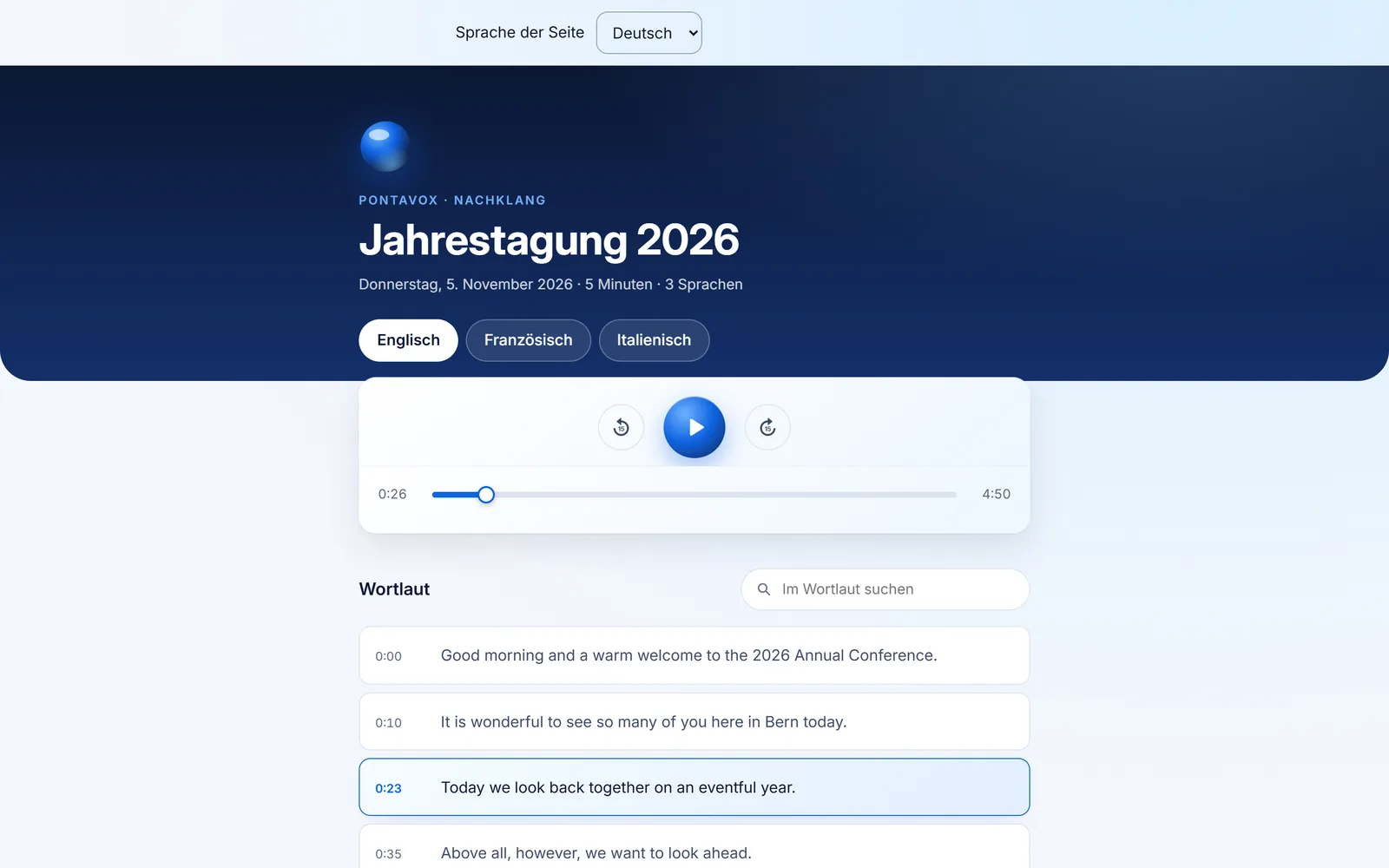
Replay
Listen to each language again with the transcript running alongside and a search, even with the laptop off. Downloads come as MP3, WAV, PDF, Word and text, without the original stage sound.
Post-event report
On request, one A4 page with time on air, availability, interruptions, distance to the speech and glossary, without the transcript.
For guests, and data protection
Guests pick up one of the 120 receivers at the entrance and choose their language’s channel. PONTAVOX processes no data about them; the guide AI interpreting and data protection explains what happens to the speech.
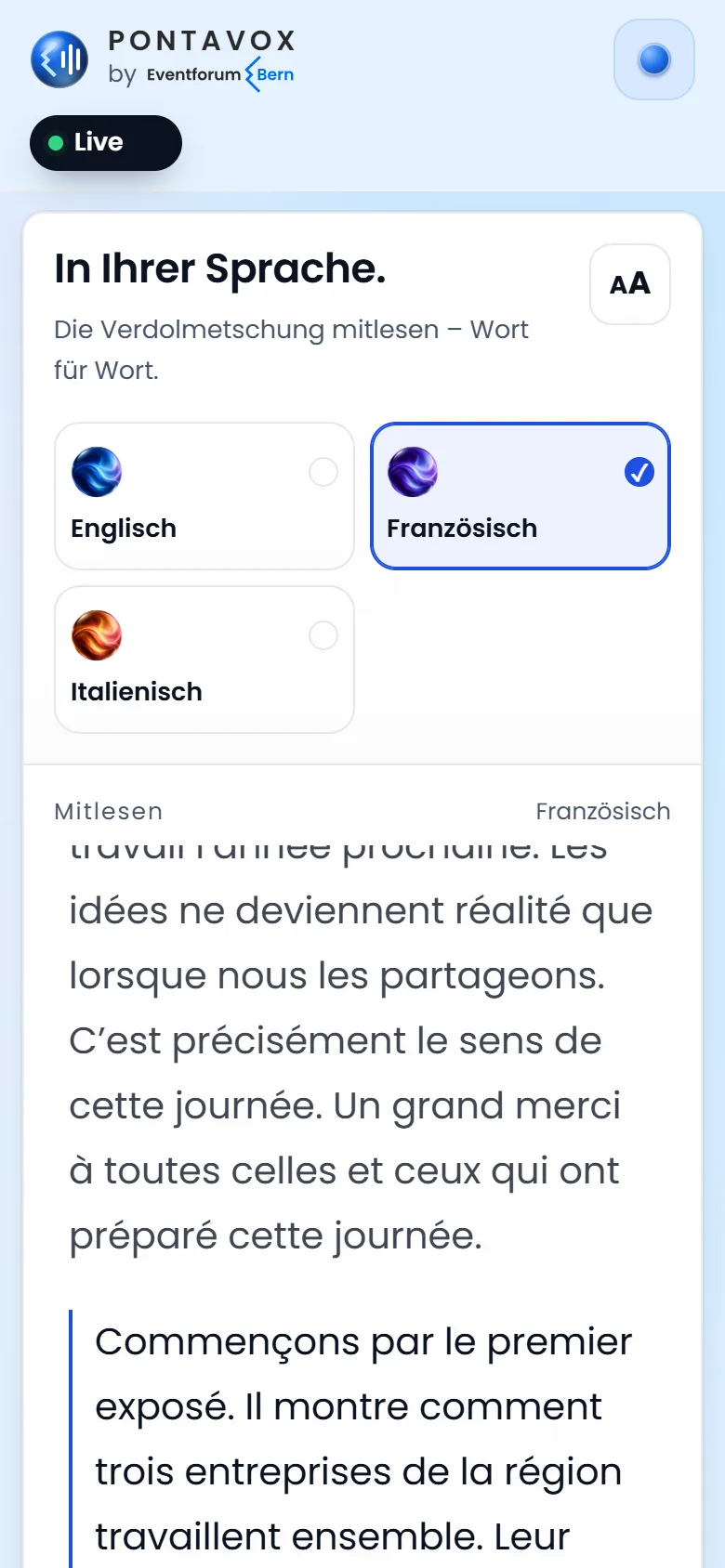
Read along on the phone
On request, guests read along via link or QR code, with no app or account. Only what the voice has said appears, in step with the voice.
No guest data
No accounts and no tracking; read-along is only counted anonymously. Its text is held only in working memory and, without a release, is gone 45 minutes after the end.
Agreement with the speech service
The speech goes encrypted to a specialised speech service that listens, translates and speaks. A data processing agreement is in place with it.
No training
Data sharing for improvements is switched off; the service does not train on your data.
Recording by agreement
It stays on the laptop at the Eventforum for as long as agreed. On request, there is none.
Data sheet under the Swiss FADP
It names the service, where it operates and what it keeps for how long, with the quote or earlier on request. A sentence for informing speakers and audience comes with it.
Limits: what PONTAVOX deliberately does not do
In these cases an interpreting team is the better choice; it can work in the Eventforum’s two interpreting booths.
- Interruptions and negotiationsDebates with interruptions, several people speaking at once and negotiations belong in the booth.
- Confidential contentAn interpreting team is better. PONTAVOX is not meant for classified content.
- Figures and votesThe interpretation is an aid to understanding; the spoken word in the hall remains authoritative.
- Pronouncing namesNames go into the glossary, but we make no promise about pronunciation.
- No sound on the phoneSound comes only through the receiver. We make no promise on how many phones can read along at once.
For now, PONTAVOX is only available for events at the Eventforum Bern. The comparison with the other options is under Cost and comparison.